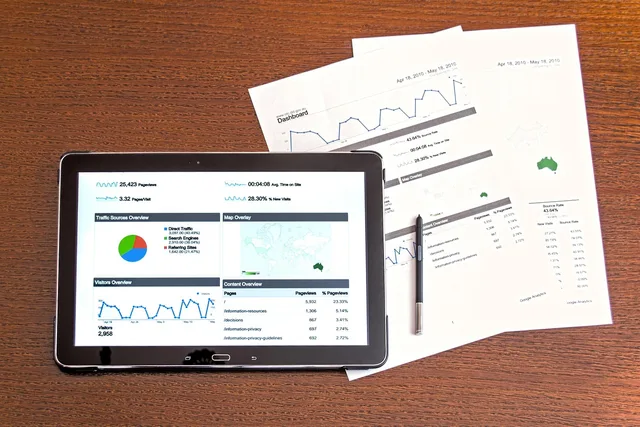

Measurement
Part of What a keyword research measurement plan means for UK content teams
How to plan a keyword research reporting dashboard
Plan a keyword research reporting dashboard with a scoring rubric, source tracking, useful metrics and a monthly review routine for content teams.
What to take away
- A Leeds or Bristol content team can run one dashboard for keyword research reporting if it starts with the decision the data must support, not the tool demo.
- Name every source, owner and refresh date, because a dashboard that cannot show its evidence will not survive a planning meeting.
- Use a weighted scoring rubric to rank keyword opportunities, so prioritisation stays consistent when the team changes.
- Keep the live view smalldemand, difficulty, intent fit, current rank and content coverage.
- Review monthly and log changes, because a keyword research reporting dashboard records decisions, not charts.
Start with the decision the dashboard must support
A dashboard is not a report. It answers a recurring question. For example, a Manchester retailer might ask which ten informational keywords deserve a buying guide this quarter. Write that question at the top. Then list the decisions that follow: brief, publish, refresh, pause or remove. This keeps the build honest.
Dashboard decision gate
Does the chart change a decision?
Keep the chart
Drop the chart
If the dashboard cannot change a decision, drop the chart. That rule prevents the trap of collecting every metric a tool offers. It also gives the reader a reason to use Keyword research: measurement and reporting guide 2027 as the parent method before adding more widgets.
Choose data sources you can name and date
Every number needs a source line. Use Google Keyword Planner for search-volume estimates; Ahrefs, Semrush and Moz also provide keyword research data. Use Google Search Console for live query and page clicks, impressions, CTR and average position, and Google Analytics 4 (GA4) for sessions and conversions. Record the source, export date and reporting period for each figure. For leads, export a HubSpot CRM report as a CSV and map records to landing-page or campaign fields; attribute keywords only where the source data supports it.
Named and dated sources
- Search volume from keyword tool
- Rank from rank tracker
- Traffic and events from analytics
- Sales or leads from CRM
- Record the export date
For rank tracking, STAT search analytics can feed a scheduled report with keyword groups and device splits. Rank tracking is also available in Ahrefs, Semrush and Moz; keep the location and device settings consistent. Build the data table in Google Sheets and use Looker Studio for the dashboard. Where a scheduled connector is unavailable, import source CSVs into Sheets and connect the sheet to Looker Studio with its Google Sheets connector. Use GA4 for on-site engagement, so the dashboard separates visibility from engagement.
For advertising claims, check the CAP Code, Section 3, rule 3.7: marketers must hold documentary evidence for objective claims that consumers are likely to regard as substantiable. The ASA applies the Code when assessing complaints. Keep the supporting evidence and its source with the claim.
Map metrics to the content question
Group metrics by question. Demand is a search-volume estimate; impressions are actual appearances for your site in Google Search Console during the selected period. CTR is clicks divided by impressions. Average position is the average position of your result in Search Console; a rank tracker records the rank it observes under its chosen location and device settings. Competition asks how hard the organic result will be to win. Keyword difficulty scores from tools are proprietary, so do not treat different providers’ scores as directly comparable. Google Keyword Planner’s competition field concerns paid advertising, not organic difficulty. Intent fit asks whether the searcher wants a guide, comparison or service page. Coverage asks whether existing content answers the query.
Add a second layer for commercial value. A keyword with low volume can still matter if it sits near a buying decision. For example, a team paying £400 a month for a tool should know which keywords produce pipeline, not just sessions. The Keyword research key metrics: data and sources article explains how to separate demand metrics from business metrics.
Build the scoring rubric
Use the same weights for every keyword. Score each criterion from 1 to 5, then calculate the weighted total out of 5: (Demand score × 25 + Intent fit score × 25 + Competition score × 20 + Business value score × 20 + Content coverage score × 10) ÷ 100. State what a high score means for each criterion and apply that direction consistently; for example, a higher competition score should mean easier to win if higher totals are intended to be better opportunities. Review weights quarterly, not weekly.
| Criterion | Weight | Score 1 to 5 | Evidence needed | | Demand | 25% | Low to high search volume | Keyword tool export with date | | Intent fit | 25% | Poor to strong match | SERP review and searcher task | | Competition | 20% | Hard to easy | Top ten domain and content type | | Business value | 20% | Pipeline link | CRM or sales note | | Content coverage | 10% | Full to no answer | URL and date |
Keep the rubric in the dashboard, not in a separate slide. When a stakeholder asks why a keyword is first, show the line that moved it. That is the difference between reporting and explaining.
Dashboard template and field schema
Use one row per keyword, with columns for keyword, target URL or planned page, topic cluster, intent, source, export date, search volume, Search Console clicks, impressions, CTR, average position, rank-tracker rank, sessions, conversions, conversion rate, difficulty source and score, the five rubric scores, weighted total, owner, status and next action. Keep the reporting period and location or device settings visible so figures can be interpreted consistently.
For the wireframe, put the reporting period and source refresh dates at the top, followed by summary metrics and the highest-priority opportunities. Use the main table for keyword-level detail, with an appendix for source exports and scoring evidence.
Set a monthly reporting routine
Name a content or SEO strategist as dashboard owner and a data analyst as the person who refreshes and checks the exports. On day one, the analyst refreshes exports. On day two, they check anomalies against source systems and ask the relevant source owner to investigate missing or inconsistent data. On day three, the strategist writes a short note for each movement above the threshold; for example, a drop of five positions or more gets a comment. The content lead decides whether to brief, refresh, pause or remove a page, and the CRM owner checks lead data. Escalate unresolved source problems to the dashboard owner and flag affected figures rather than presenting them as current.
Log every change to the rubric, source or definition. A new team member should read the log and understand why the dashboard looks as it does. This is also where you record pauses, merges and page removals.
Keep the dashboard to one screen for the weekly stand-up and one appendix for detail. A keyword research reporting dashboard that needs a training session before every meeting will be abandoned.